
Supported Blender Features
Polygona supports a range of Blender features to enhance your 3D model customization. These features can be categorized into three main groups: object types, modifiers, and parameters.Object Types
Current supported object types:Mesh
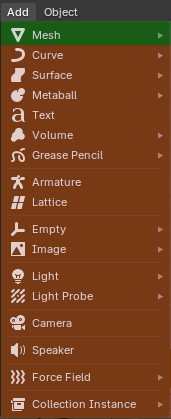
Mesh Objects
- Single mesh object per file
Support for multiple objects per file is planned for future updates.
Modifiers
Below are the modifier types currently supported in Polygona:Edit Modifiers
- Data Transfer
- Mesh Cache
- Mesh Sequence Cache
Generate Modifiers
- Array
- Bevel
- Boolean
- Build
- Decimate
- Edge Split
- Mask
- Mirror
- Multires
- Remesh
- Screw
- Skin
- Solidify
- Subdivision Surface
- Triangulate
- Volume to Mesh
- Weld
- Wireframe
Deform Modifiers
- Armature
- Cast
- Curve
- Displace
- Hook
- Laplacian Deform
- Lattice
- Mesh Deform
- Shrinkwrap
- Simple Deform
- Smooth
- Smooth Corrective
- Smooth Laplacian
- Surface Deform
- Warp
- Wave
Geometry Nodes
Geometry Nodes are supported, but there are a few important points to keep in mind:-
Expose parameters through the Group Input node:
To make parameters available in Polygona, expose them through the Group Input node in your Geometry Nodes setup.
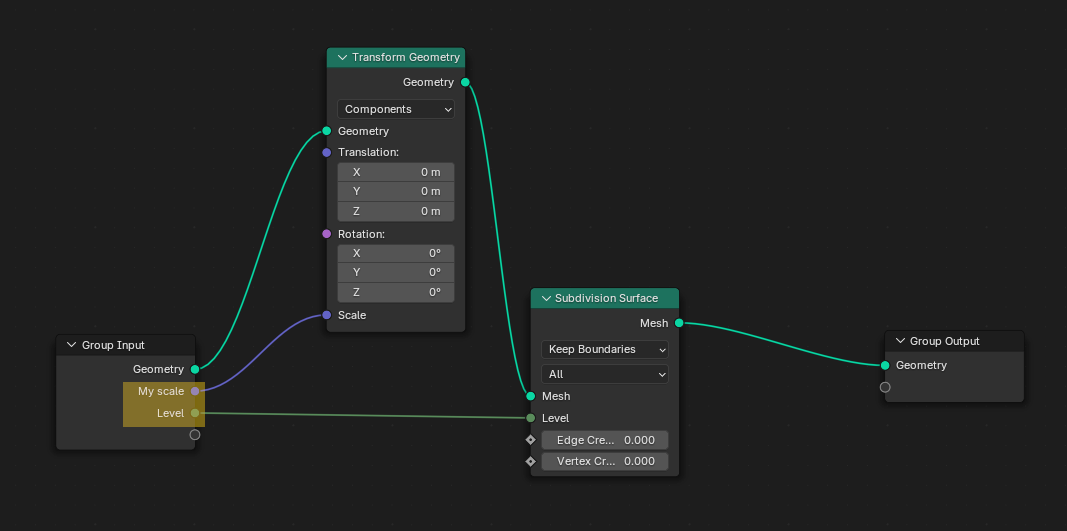
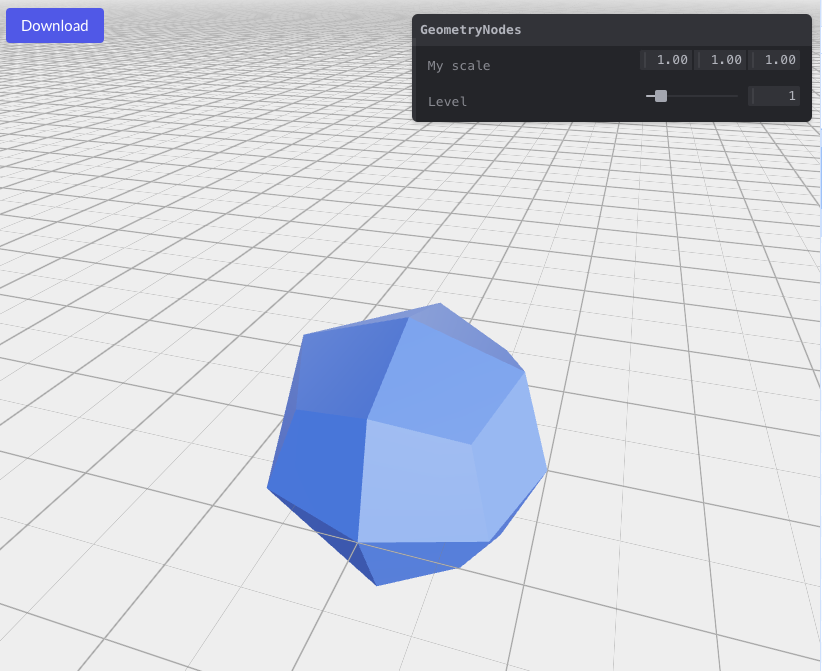
-
Set min/max values and rename parameters:
- Set min/max values for your parameters in the Group Input node to define their range in Polygona.
- You can rename a parameter by double-clicking on its name if you wish to display a different name in Polygona.
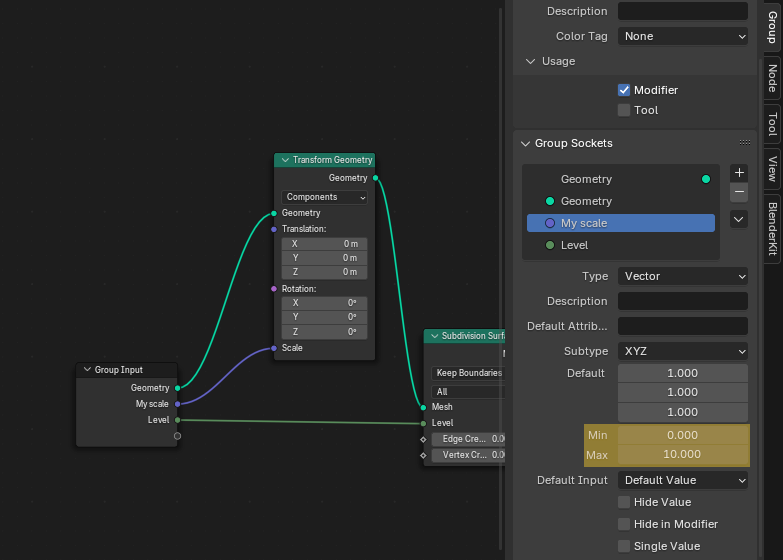
-
Add a Realize Instances node:
Make sure to add a Realize Instances node before your Group Output node to ensure the geometry is correctly exported.
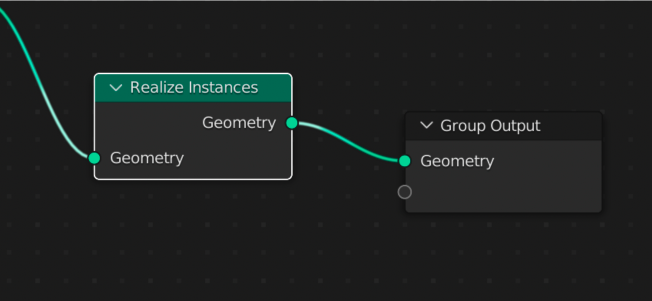
Parameters
These are the parameters that are currently supported:- Float
- Integer
- Boolean
- Enum
- Value
- Vector
Limitations and Future Plans
- Currently, only a single mesh object per file is supported
- External assets must be packed into the .blend file
- External plugins are not supported
- File size limit of 20MB